Stats
The Stats page provides a summary of your location data including distance traveled, countries visited, cities visited, and points recorded over different time periods.
Overview
Stats display:
- Total Distance - Cumulative distance traveled
- Countries Visited - Number of unique countries
- Cities Visited - Number of unique cities
- Points Recorded - Total GPS points in your database

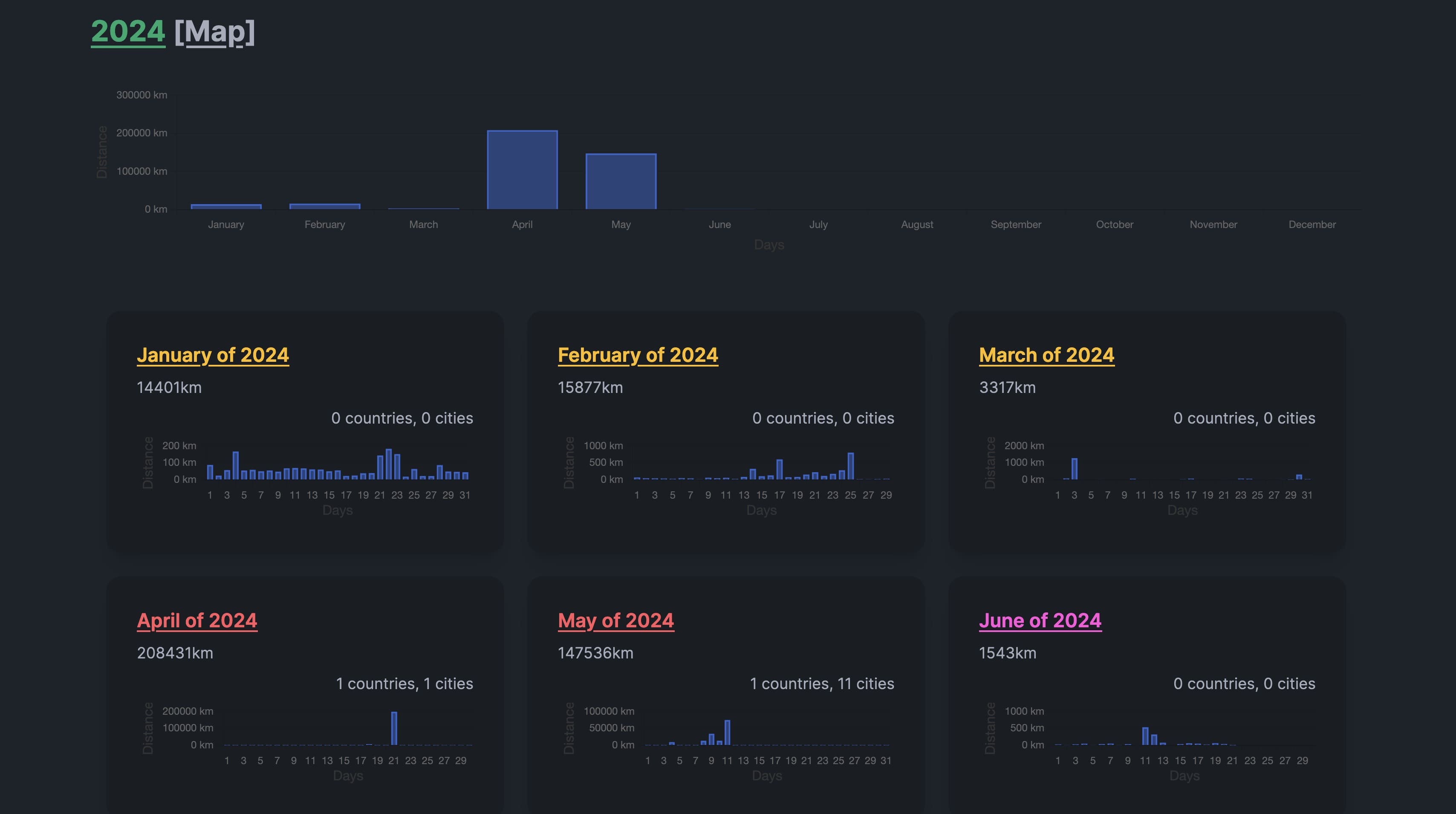
Yearly Stats
Click on any year to see detailed statistics:
- Monthly breakdown of distance and cities
- Countries visited that year
- Map view link for the entire year
Monthly Stats
From the yearly view, click on a month to see:
- Distance traveled that month
- Cities and countries visited
- Direct link to view those points on the map
Updating Stats
Stats are calculated periodically in the background. You can also manually update them:
- Go to the Stats page
- Click Update Stats
- Wait for the background job to complete (usually a few minutes)
Stats are automatically recalculated every hour.
Year Recalculation
You can recalculate statistics for a specific year:
- Navigate to the year's stats page
- Click the Recalculate button
- The stats for that year will be refreshed
Month Recalculation
Similarly, individual months can be recalculated from their stats page.
Countries and Cities Modal
Click on the countries or cities count to see a popup with:
- Full list of countries/cities visited
- Visit counts per location
- Links to view on the map
Public Stats Sharing
You can share your monthly statistics publicly with others without requiring them to log in.
Enabling Sharing
- Navigate to a specific month's stats page
- Click the Share button
- Configure sharing settings:
- Expiration: Choose when the share link expires
- 1 hour
- 12 hours
- 24 hours
- Permanent (never expires)
- Expiration: Choose when the share link expires
- Copy the generated share URL
Share Link
The share URL uses a unique UUID for security:
https://your-dawarich-domain/shared/month/unique-uuid-here
Anyone with this link can view the statistics for that month without logging in.
What's Shared
Public viewers can see:
- Monthly distance traveled
- Countries visited
- Cities visited
- Hexagon map visualization (if enabled)
They cannot see:
- Your exact GPS points
- Personal information
- Other months' data
- Any account details
Disabling Sharing
To stop sharing a month's stats:
- Go to the month's stats page
- Click Share settings
- Toggle off or let the expiration pass
Once disabled, the share link becomes invalid.
Automatic Expiration
Links with expiration times automatically become inactive after the set period. For permanent links, you must manually disable sharing.
API Access for Shared Stats
When sharing is enabled, the hexagon map data can also be accessed via API:
GET /api/v1/maps/hexagons?uuid=your-share-uuid
This allows embedding the shared visualization in other applications.
Privacy Considerations
- Share links use unguessable UUIDs
- Only specifically enabled data is exposed
- Exact coordinates are never publicly shared
- You control when sharing starts and stops
- Expiration provides automatic privacy protection